Best Practices for Configuring Your School’s Management System

Configuring a school management system the right way is critical for achieving efficiency, accuracy, and smooth daily operations. Whether your school is just adopting a digital platform or refining an existing setup, following best practices ensures you get the full value of the system. With a platform like Edcrib, proper configuration can dramatically enhance communication, reporting, student management, and administrative workflows.
Below are the best practices every school should follow when configuring a modern school management system.
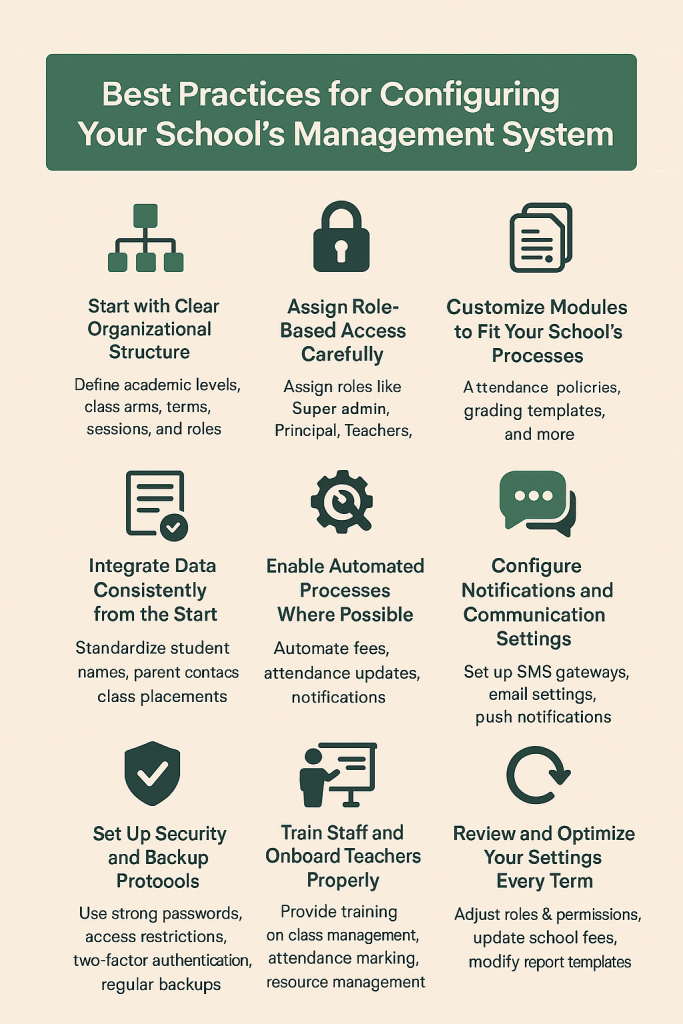
1. Start with Clear Organizational Structure
Before configuring your system, your school’s structure must be properly defined. This includes:
- Academic levels (Nursery, Primary, Secondary, etc.)
- Class arms and departments
- Terms, sessions, and grading structures
- Roles and permissions
Edcrib allows administrators to set up these structures cleanly, ensuring consistency across your entire workflow.
2. Assign Role-Based Access Carefully
Your system should mirror the hierarchy and responsibilities within your school.
Assign roles like:
- Super admin
- Principal
- Teachers
- Account officers
- Librarians
- Non-academic staff
With Edcrib, role-based access control (RBAC) ensures every staff member sees only what they need—reducing confusion, preventing errors, and improving data security.
3. Customize Modules to Fit Your School’s Processes
No two schools operate the same way. Edcrib gives you flexibility to customize:
- Attendance policies
- Grading templates
- Report card formats
- Behavioral evaluations
- Class timetables
- Fee structures and discount setups
Customize each module so your school workflow remains familiar while becoming more efficient.
4. Integrate Data Consistently from the Start
Whether you’re migrating from spreadsheets or another system, ensure data is clean and uniform:
- Standardize student names (avoid inconsistent spacing and capitalization).
- Ensure parent contacts are correct.
- Validate class placements and admission numbers.
- Upload passport photos in recommended formats.
Clean data ensures smooth usage and accurate reports.
5. Enable Automated Processes Where Possible
Automation is one of the biggest time-saving advantages of a digital system. Edcrib is designed help automate:
- Fees and payment reminders
- Attendance updates
- Result computations
- Teacher notifications
- Parent communication
This reduces manual work and keeps everything on schedule.
6. Configure Notifications and Communication Settings
Effective communication is essential. Schools should properly set up their:
- SMS gateways (if applicable)
- Email settings
- Push notifications (for mobile app)
- Automated alerts for parents and staff
Edcrib makes communication instant and centralized.
7. Set Up Security and Backup Protocols
Security cannot be taken lightly. Edcrib helps Schools to:
- Use strong admin passwords
- Restrict access to critical modules
- Enable two-factor authentication where available
- Perform regular data backups
- Train staff on safe digital practices
Edcrib’s cloud infrastructure ensures security and reliability, but internal practices must match that standard.
8. Train Staff and Onboard Teachers Properly
Even the best-configured system won’t perform well without proper user adoption.
We provide training on:
- Class management
- Attendance marking
- Assessment entry
- Report generation
- Communication tools
- Resource management
You can also document simple guides or use Edcrib’s built-in onboarding tools.
9. Review and Optimize Your Settings Every Term
Schools evolve—new classes, new teachers, new policies. Review your configuration regularly:
- Adjust roles and permissions
- Update school fees
- Modify report templates
- Refresh student and class lists
A quick start-of-term review helps maintain efficiency.
Final Thoughts
Configuring your school’s management system properly is one of the best investments you can make in reducing workload and improving accuracy. With a smart platform like Edcrib, following these best practices will help your school streamline operations, strengthen communication, and enhance administrative efficiency.
When configured correctly, a school management system becomes an indispensable tool—simplifying work for administrators, empowering teachers, and improving the overall learning experience.
- January, 2026

Happy Holidays from Edcrib!
Dear Valued Edcrib Partner, Here’s an Important Update on Future Pricing The Edcrib team ...
- December, 2025

Managing School Assets and Inventory Digitally
From classroom furniture and laboratory equipment to laptops, buses, and sports gear, schools rely ...
Best Practices for Configuring Your School’s Management System
Configuring a school management system the right way is critical for achieving efficiency, ...
No Comments yet!